
Android Phones & Tablets
Android allows direct APK installation from any download link. Apps are grouped by server type below. If you are unsure which server your account uses, contact Yeah TV support via WhatsApp — response in under 5 minutes. Apps marked For All Servers work with every Yeah TV account.
Download the APK
Tap any direct APK link below in your Android browser. Tap Download when prompted.
Allow Unknown Sources
Tap the downloaded file → Settings → toggle on Allow from this source for your browser → go back and install. One-time permission only.
Open & Enter Credentials
Open the app and log in with your Yeah TV username/password or Xtream Codes credentials from your activation email.
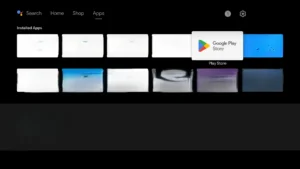 Open Play Store
🔍 Tap to enlarge
Open Play Store
🔍 Tap to enlarge
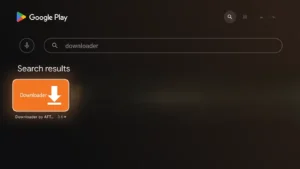 Search Downloader
🔍 Tap to enlarge
Search Downloader
🔍 Tap to enlarge
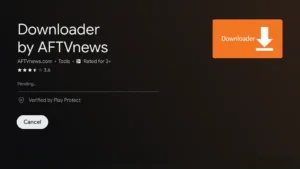 Install — Step 1
🔍 Tap to enlarge
Install — Step 1
🔍 Tap to enlarge
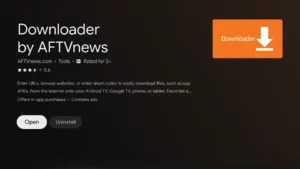 Install complete
🔍 Tap to enlarge
Install complete
🔍 Tap to enlarge
iPhone & iPad — iOS App Store
iOS requires all apps to be installed through the Apple App Store. The apps below are fully compatible with Yeah TV. Use the web player at the bottom of this page if you prefer not to install anything.
IPTV Smarters Pro
The most popular IPTV app for iOS. Supports Xtream Codes login and M3U playlist import. Full live TV, VOD, and series with EPG. Works with all Yeah TV servers.
Smarters Lite — iOS
Lightweight Smarters edition for iPhone and iPad. Supports both Xtream Codes and M3U playlists. Lower resource usage — ideal for older iPhone models.
No app needed on iPhone/iPad: Stream directly from Safari or Chrome using either web player below — no installation, no configuration, just open and log in.
Web Players — Stream from Any Browser, No App Required
Two web player options are available. Choose the one that matches your server type. Open in any browser on any phone, tablet, or computer — no installation required.
8K web player for Strong server subscribers. Open in any browser, log in with your username and password. Full 8K channel and VOD access.
Smarters web player — works with all Yeah TV servers. Log in with your Xtream Codes credentials or M3U link. Full EPG and VOD library.
Choose the web player that matches your server type. Open in Safari, Chrome, Firefox, or any browser on your phone or tablet.
Log in with your Yeah TV username/password (Strong server) or Xtream Codes credentials (all servers). Same details from your activation email.
All channels and VOD load immediately after login. No buffering delay, no additional setup required.
Try Yeah TV Free for 24 Hours — Full Access on All Your Devices
All methods above — Android APK, iOS App Store, and both web players — work with a single Yeah TV account. Request a free 24-hour trial with no credit card and test the service on every device you own before choosing a plan.
No credit card · Full access · 7-day guarantee on all paid plans
- ✓45,000+ live channels — full unrestricted access
- ✓200,000+ on-demand movies and series
- ✓Works on Android, iPhone, iPad, web browser
- ✓HD · Full HD · 8K quality streams
- ✓No credit card — no auto-conversion
- ✓24/7 Yeah TV support via WhatsApp & Email